Welcome to CoolSelection!
Click here to see what other users think of CoolSelection.
Click here
to watch the CoolSelection review on Youtube.
CoolSelection™ is a plug-in for Adobe® Illustrator®.
CoolSelection adds new and advanced selection tools to Illustrator.
Use the Selection Brush
to draw a selection of any shape you want.
Objects completely within the shape will be selected.
Objects only touched by the shape will not be selected.
Press and hold the Option (Mac) or the Alt (Windows) to color objects instead of selecting them.
More…
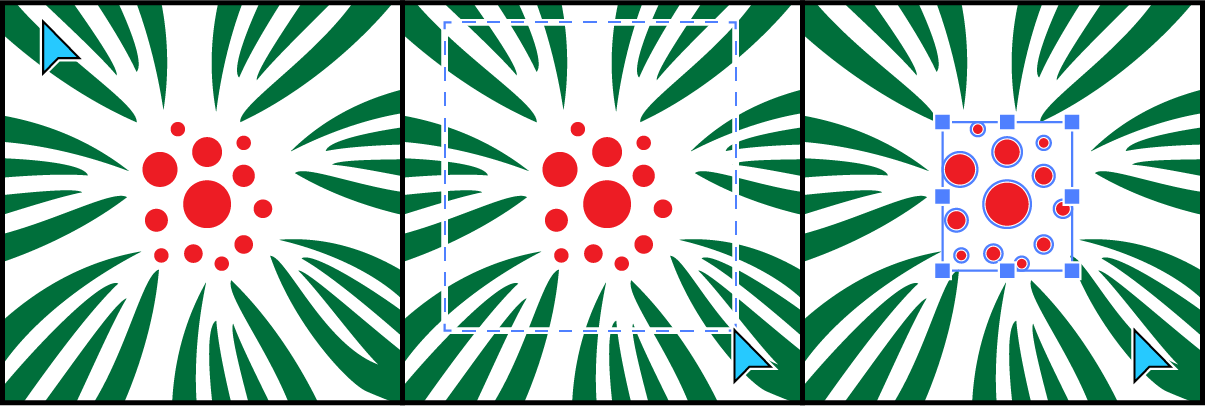
Use the Selection Box
to select objects just as you would in CorelDraw, AutoCAD, or Inkscape:
Click and drag. Only objects completely within the marquee will be selected.
Press and hold the Option (Mac) or the Alt (Windows) to ignore the background.
More…
The possibilities are endless:
Select objects overlapping multiple objects or objects against a complex background.
Color black and white images literary in seconds.
Select small objects with a fairly large brush – convenient when working on a touchscreen.
Watch the video and use your imagination!
How to select with the Selection Brush Tool
Choose the Selection Brush
Tool.
Draw a selection of any shape. Objects completely within the selection area will be selected. Objects just touching the area will not be selected.
Shift-click to add to or subtract from the selection.
Press the square brackets [ ] to adjust the brush size.
Press and hold the Option (Mac) or the Alt (Windows) to color objects rather than select them. The current color, i.e. the color specified in the Fill Stroke Control will be used. More…
How to select with the Selection Box Tool
Choose the Selection Box
Tool.
Click and drag. Objects completely within the selection area will be selected.
Objects just touching the area will not be selected.
Shift-click to add to or subtract from the selection.
Press and hold the Option (Mac) or the Alt (Windows) to ignore the background. More…
Download
How to install (macOS)
If Illustrator is running, quit it. Double-click the CoolSelection for AI 2026.pkg file.
Follow the on-screen instructions.
Launch Illustrator. Tool icons
will appear in the toolbar.
If you can't see the icons, click Window / Toolbars / Advanced.
If you have any installation issues, visit the support page.
How to install (Windows)
If Illustrator is running, close it. Double-click the CoolSelection2026Setup.exe file.
Follow the on-screen instructions.
Launch Illustrator. Tool icons
will appear in the toolbar.
If you can't see the icons, click Window / Toolbars / Advanced.
If you have any installation issues, visit the support page.
Buy
CoolSelection is a trialware. You can try it free for two weeks. Then you can buy it.
Click here to read how to register.